Turn the conversation into something you can use again.
AI conversation practice is easy to start and easy to forget. The missing step is not another prompt. It is a small retrieval loop that turns a chat into a few expressions you can actually recall later.
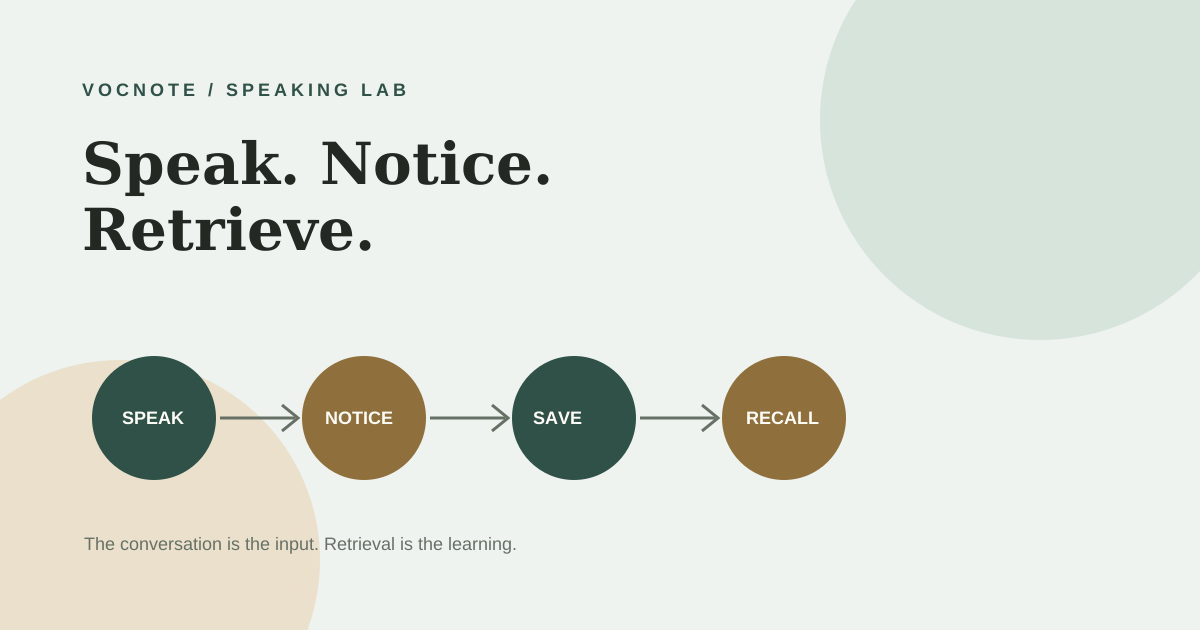
Why a good AI conversation often produces weak learning
A fluent conversation gives you a lot to notice: corrections, idioms, follow-up questions, alternative answers, and words you did not know. That abundance feels productive, but it creates a familiar failure mode: you finish the chat with a long transcript and no clear idea what to review.
Conversation and study are related, but they are not the same activity. During a conversation, your attention is on meaning and turn-taking. During review, your attention should be on retrieving a phrase when the original context is gone. If you never make that transition, the chat remains an interesting event instead of becoming usable language.
Speak → notice → save → retrieve
Use the language
Answer before asking for corrections. A little pressure reveals what you can and cannot produce.
Pick the useful gaps
Choose phrases that would help you say something you already want to say.
Keep the context
Save a phrase with the original sentence, meaning, and your own variation.
Use it elsewhere
Recall it tomorrow in a different prompt, sentence, or real situation.
The loop is intentionally small. Five expressions you can retrieve are more valuable than thirty expressions you highlighted once.
Give the AI a job that supports practice, not a performance
Do not begin with “Have a conversation and correct all my mistakes.” That instruction makes the AI interruptive and makes your attention jump between speaking and editing. Give it a narrow role first, then ask for a review at the end.
You are my English conversation partner.

My level: intermediate
Topic: a project I am working on
Goal: speak for five minutes without stopping

During the conversation:
- Ask one natural follow-up question at a time.
- Do not correct every small mistake.
- If I use an understandable but unnatural phrase, remember it for the review.
- Keep the conversation moving.

After five minutes, give me:
1. The three phrases I most need for this topic
2. One correction that affects clarity
3. One more natural alternative for each phrase
4. One question that makes me use each phrase again

Wait for my answer after each question.
The prompt separates the live conversation from the review. It also gives the AI permission not to interrupt every time you make a minor error, which matters if your goal is fluency under pressure.
Choose phrases by usefulness, not by novelty
A phrase is worth saving when it solves a recurring communication problem. “That’s interesting” may be familiar, but a phrase such as What I’m still trying to figure out is… can give you a reusable way to frame uncertainty in meetings, interviews, and explanations.
| Weak note | Better note | Why it helps |
|---|---|---|
| figure out = understand | What I’m still trying to figure out is whether the timeline is realistic. | The sentence shows the grammar pattern and the situation. |
| follow up | I’ll follow up with the team and let you know tomorrow. | You can retrieve a complete workplace move, not a definition. |
| make sense | That makes sense, but I’m not sure it solves the main problem. | The contrast gives you a way to agree without ending the discussion. |
When you save a phrase in VocNote, keep four pieces: the phrase, the original context, a plain-language meaning, and a new sentence about your own life. The fourth piece is the bridge from recognition to production.
Make tomorrow’s practice different from today’s transcript
Wait until the next day if you can. Spaced retrieval is useful precisely because the phrase is no longer sitting in front of you. Start with the situation, not the answer.
- Hide the phrase. Read only the situation: “You need to disagree with a proposed timeline politely.”
- Say or write your answer. Give yourself ten seconds before checking the note.
- Compare the shape. Did you use the same phrase, a close alternative, or a sentence that solves the same problem?
- Change one variable. Move from a project timeline to a travel plan, a class assignment, or a personal decision.
The goal is not to reproduce one perfect sentence. It is to make the expression available when the situation changes.
For a more structured next step, combine this loop with VocNote’s guide to solo speaking practice with AI or review the tools in our AI English learning tools overview. The tool matters less than whether your workflow includes retrieval.
AI can be a patient partner without being a perfect language authority
OpenAI’s official Voice Mode FAQ describes spoken conversations and notes that availability and usage limits can vary by plan, device, region, and app version. Treat those details as changeable. If you use voice, keep a text-based review step so you can inspect the expressions afterward.
AI can also prefer one natural-sounding sentence when several options are possible. It may miss context, over-correct a regional expression, or explain a language choice too confidently. For an important email, exam, or professional document, verify wording with a reliable reference or a qualified speaker.
Most importantly, do not hand over all of the thinking. Let the AI choose a small review set, but decide which phrases match your goals and create your own examples. That decision is part of learning.
Use AI conversation practice to create pressure, not a pile of notes. Speak until a useful gap appears, save only a few expressions with context, and make yourself retrieve them in a new situation. The conversation starts the learning; recall is what makes it portable.
This article describes a general learning workflow. ChatGPT features, voice availability, limits, and interfaces can change; check the official product documentation for current details.